Card Duel System
Card Duel System/Overview
Studio 1.6.0 + Plugin 1.3.0Explore the latest update

Undermax presents

Card Duel System

Meet a complete 3D card battle system made for RPG Maker MZ. Easy to set up, flexible to customize, and designed to fit naturally into your project.

Latest update

More freedom. Faster creation. Smoother duels.

Studio 1.6.0 and Plugin 1.3.0 expand the rules you can create while bringing deep performance improvements across the experience.

P

Card Duel System

Plugin 1.3.0

  • A deeper performance passCore duel work, scene preparation, and card management now use resources more efficiently, with a noticeable difference in many projects.
  • Your Star Guide rules in playCustom relationships and secondary guides carry naturally from Studio into duels, effects, Fusions, equipment, and CPU decisions.
  • More ways for cards to interactBroader filters and conditions can recognize multiple Classes, Subtypes, Star Guides, and the situations around them.
  • More polish behind every duelCompatibility work and fixes improve stability while keeping existing projects and familiar rules in mind.

Star Guide evolution

Keep the classic. Or make the system yours.

Switch between the new custom editor and the earlier classic workflow to see how much creative space has opened up.

Custom Star Guide editor in Card Duel Studio 1.6.0 with editable guides and relationships
New in v1.6.0

Your guides, your rules

Create up to 32 visual identities, then decide exactly which guide has the advantage in every matchup.

Previous releasesReview earlier updatesStudio 1.5.0 and Plugin 1.2.0, plus earlier releases
S

Card Duel Studio

Studio 1.5.0

  • Expansion Packs arriveStudio recognizes compatible add-ons and gives their tools a natural place inside the same project.
  • Meet Studio AssistantAn optional guided workflow helps with names, descriptions, translation, details, and compatible effects.
  • More flexible conditions and filtersA clearer editor adds more ways to match the cards and situations each effect needs.
  • A smoother Studio experienceVisual, usability, performance, and reliability improvements make everyday work more comfortable.
P

Card Duel System

Plugin 1.2.0

  • Faces for direct attacksPlayer and rival portraits add more personality to direct attack moments.
  • Clearer Fusion equipment feedbackFusion equipment briefly shows the effect and the value it grants.
  • More polish across every duelQuality-of-life adjustments, performance improvements, and fixes keep the experience moving smoothly.
S

Card Duel Studio

Studio 1.4.0

  • A friendlier interfaceStudio screens became easier and more comfortable to use.
  • Smoother editingBetter performance and stronger links between related areas kept work flowing.
  • Your own visual identityCustom styles arrived for Classes, Monster Sub Types, and Star Guides.
  • Clearer notificationsProject messages became easier to review and understand.
  • Undo and RedoDesign Studio made it safer to explore new layout ideas.
  • Better Effects and ConditionsMagic and Trap actions, targets, and conditions received a cleaner editor.
P

Card Duel System

Plugin 1.1.0

  • Monster Sub TypesEvery Monster gained a second classification for more creative interactions.
  • Smoother performanceFixes reduced frame drops and made the experience more responsive.
  • Better scenes and animationsDuel moments began communicating actions more clearly.
  • Clearer card informationThe lower card panel became cleaner and easier to read.
  • More helpful confirmationsImportant choices became easier to understand before committing.
  • Stronger attack feedbackAttack outcomes became clearer at a glance.
  • Smarter CPU decisionsRivals began making more tactical choices throughout the duel.

Getting started

From installation to your first duel.

Card Duel Studio guides you through the setup so you can start creating without turning it into another project.

1

Download and install

Install Card Duel Studio, then add the plugin to your RPG Maker MZ project like any other plugin.

2

Configure

Open Studio and follow the on-screen setup to get your project ready.

3

Create

Use the included example content or start from scratch and build everything your way.

4

Play

Enjoy your creations inside your game. It really is that simple.

Card Duel Studio

Your whole card project, in one place.

Create, organize, preview, and personalize your card game from a visual workspace made for Card Duel System.

Introducing: Card Duel Studio

Everything within a few clicks.

Card Duel Studio was designed to feel friendly from the first project. Move between the tools you need quickly, keep your work flowing, and make creating cards feel simple and enjoyable.

Everything in its place

Find what you need, right away.

Move between clear categories and get back to creating in just a few clicks.

Cards

Create Monsters, Magic, and Traps with their artwork, text, and behavior.

Fusions

Turn card combinations into new discoveries.

Decks

Build and balance the decks used throughout your game.

Duelists

Give every rival a portrait, difficulty, deck, and possible rewards.

Fields

Create arenas and choose which Monsters benefit from them.

Customize

Shape Classes, Sub Types, Star Guides, and the card back.

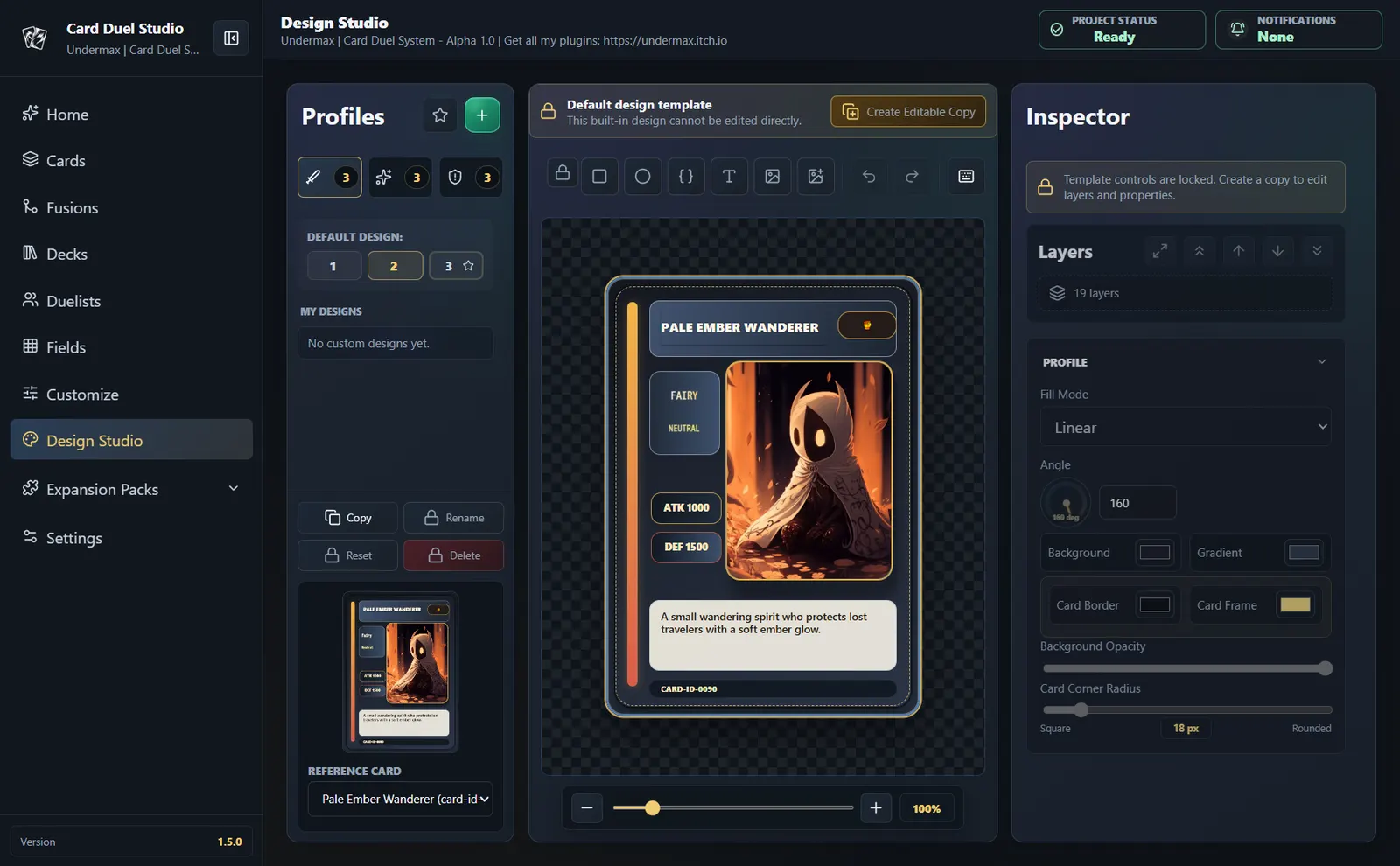
Design Studio

Build card faces freely with layers and a live preview.

Expansion Packs

Review compatible add-ons and open their Studio tools.

Settings

Adjust Studio preferences around the way you like to work.

Expansion Packs

More ways to shape your card game.

Discover optional add-ons that bring focused new features to Card Duel System and connect naturally with the project you already manage in Studio.

3 packs available

Explore every Expansion Pack in one place.

See what each pack adds, how it fits into your project, and where to find it.

View Expansion Packs 3 packs currently available
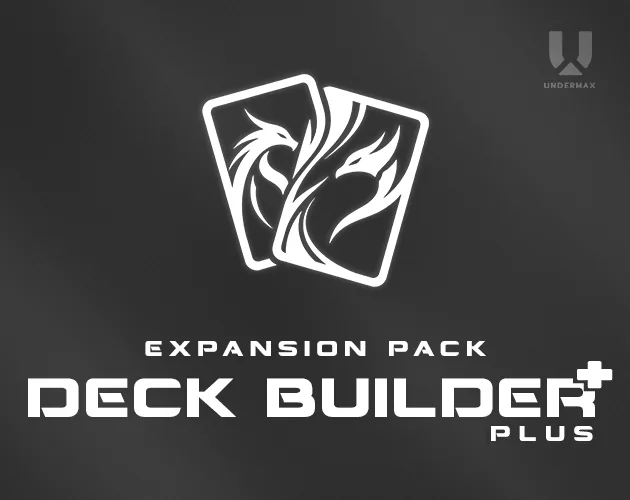
Card Album Expansion Pack cover Card Shop Expansion Pack cover Deck Builder Plus Expansion Pack cover

Your cards, your identity

Make every card feel at home in your game.

Bring together artwork, values, text, effects, and visual style, then add optional secondary identities when your strategy calls for more depth.

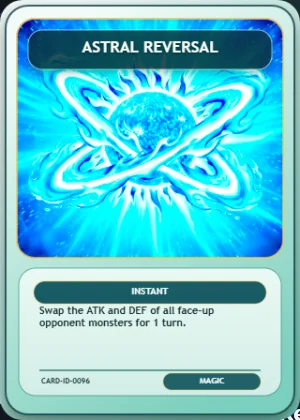
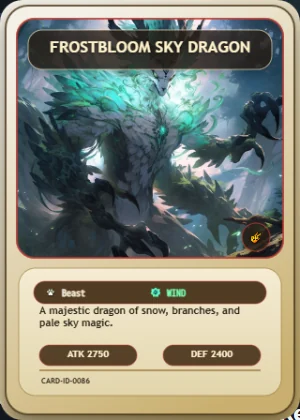
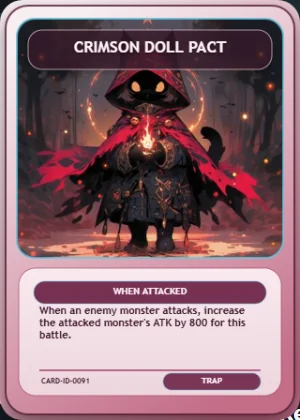
Magic card created in StudioMonster card created in StudioTrap card created in Studio

Your card world

Monsters, Magic, and Traps

Create their artwork, text, values, effects, Classes, Subtypes, and Star Guides around the game you want to make. A Secondary Subtype and Secondary Star Guide can add another layer whenever you choose.

Rock Scissors Paper

Star Guide

Make the Star Guide fit your world.

Keep the classic Rock, Paper, and Scissors cycle, build a completely custom guide set and relationship map in Studio, or disable the runtime rule when it does not fit your game.

Assign a Primary and optional Secondary Star Guide to each Monster. During play, their relationships can shape Fusions, effects, equipment, strategy, and CPU decisions without limiting your creative direction.

Your identities. Your relationships. Your rules.

Effects and conditions

Create the play you imagine.

Combine readable nested logic, formulas, ranges, and branches, then filter across multiple Classes, Subtypes, Star Guides, and card situations. Studio keeps every choice clear while you build it.

Beyond the card

Build the world around your cards.

Create decks, memorable rivals, changing Fields, and Fusions that reward experimentation.

Field effects

Make every Field your own.

Field effects can give Monster Classes and Sub Types a power advantage or disadvantage. Choose who benefits and customize the mechanic around your game.

Complete visual freedom

Make every card look like yours.

Build reusable Monster, Magic, and Trap layouts on a live canvas, or use a complete finished image. Arrange every layer around the visual identity your game deserves.

Examples, not limits

Start anywhere. Make it completely yours.

Use an included layout as inspiration or create your own from scratch. Every layer can be shaped around your game, so the final design is always yours.

Your content, in every language you prepare

Translate cards without breaking your flow.

Keep translated card names and descriptions, deck and Duelist names, Field labels, Fusion names, Classes, and Sub Types connected to the right content. Change the Card Duel language in game, with the original text used whenever a translation is left blank.

Inside the game

A duel that feels at home in your RPG.

Cards, choices, attacks, effects, and Fields stay clear while the match keeps moving.

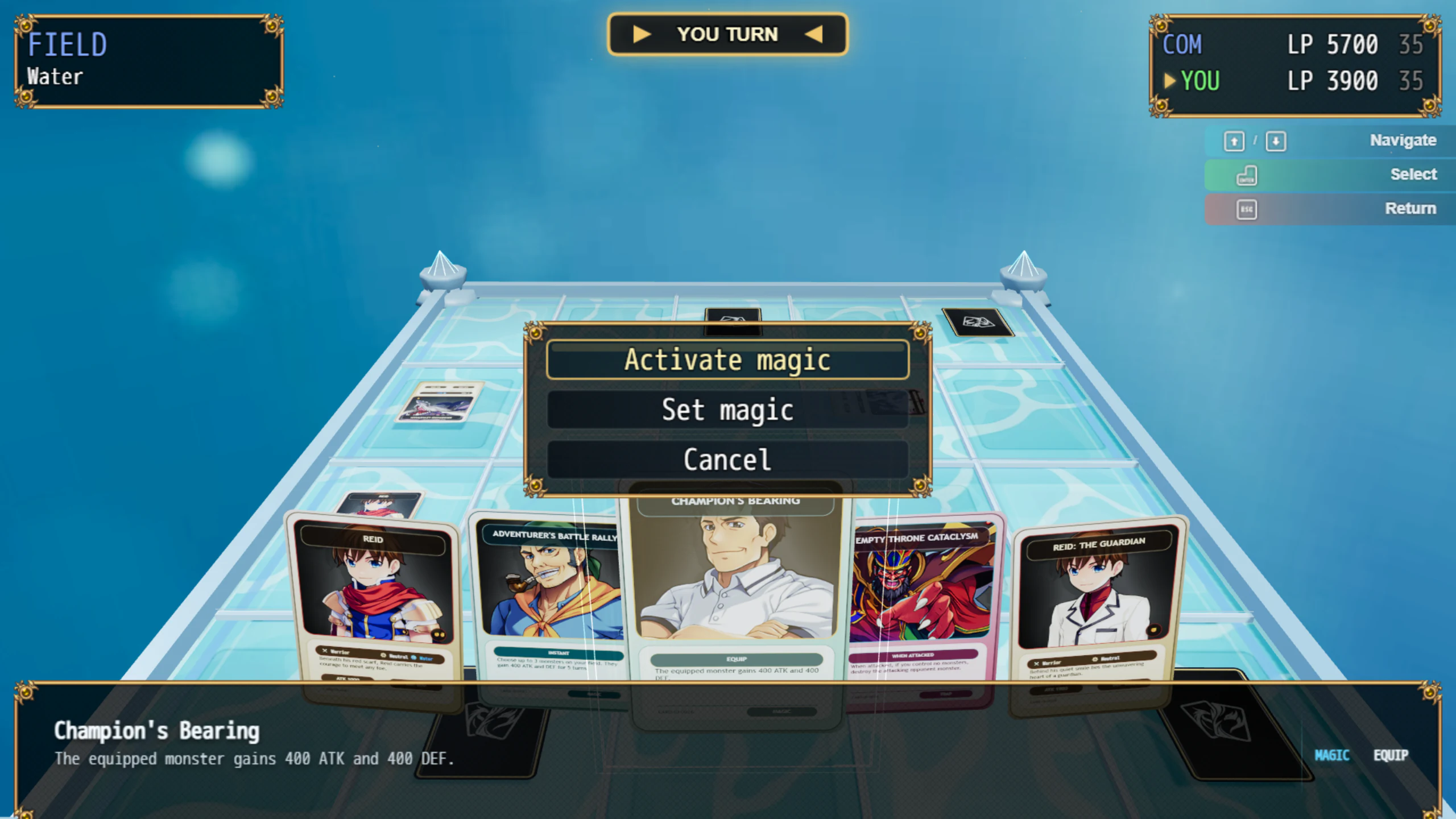
Every Field changes the atmosphereYour arena remains part of the duel from the first draw to the final attack.
Make choices without losing contextThe selected card and the duel stay visible while the player decides.
Magic stays easy to followActivation choices remain close to the card that created them.

Before the duel

Let players build the deck they want.

Card Vault and Active Deck share one clear screen, making it easy to explore the collection and prepare for the next challenge.

Saved with the game

Deck building stays focused.

Players can browse what they own, inspect any card, search and filter the collection, and adjust their Active Deck without leaving the game.

After the duel

Turn victories into new cards.

Give each Duelist a weighted reward pool, choose how many cards can be earned, and decide whether duplicates are allowed. After an eligible victory, the game handles the chance, reveal, and collection update.

Duel rules

Customize and shape every duel your way.

The core rules keep the experience familiar, while most aspects can be adjusted to fit your project.

Create different starting decks

Why stop at one when you can create several? Different starting decks help every new run feel distinct.

Customize the cards and field

By default, duels use a five-card hand, five Monster zones, and five Magic or Trap zones. Change those values and the plugin will adapt the board to your preferences.

Your next rival

A CPU that reacts to the duel.

Difficulty changes how cautious or aggressive each Duelist feels, while the CPU considers the board before making its move.

Choose the challenge

Use difficulty to shape each rival's caution, risk, and aggression.

More than simple attacks

The CPU can consider Magic, Traps, equipment, positions, and available Fusions.

Pressure with purpose

Attacks consider visible threats, Life Points, direct damage, and likely outcomes.

Adaptive controls

Using a controller? So do we!

Card Duel System recognizes supported controllers and updates its prompts in real time. Players can move between Xbox, PlayStation, Nintendo, keyboard, and mouse controls without losing their way.

Xbox
PlayStation
Nintendo
Keyboard / Mouse
R / ETabShiftD

RPG Maker MZ events

Put every duel where the story needs it.

Start a challenge, open Deck Manager, give cards, and continue the adventure from the result using familiar plugin commands.

Need the full reference?Browse every plugin commandLoading...

Make it fit your game

Change what matters to you.

Shape the rules, presentation, controls, text, audio, and player experience without losing your way.

Duel rules

Shape the pace, Life Points, board, turns, Star Guide, and rivals.

Presentation

Choose how Fields, cameras, attacks, rewards, and results feel.

Player input

Support keyboard, mouse, touch, and the gamepad style you prefer.

Deck Manager

Adapt the collection and deck-building experience around your game.

Want to explore deeper?Browse every settings groupLoading...

Create, test, enjoy

Work in Studio. Play in RPG Maker MZ.

Card Duel Studio is your creative workspace. Players never need Card Duel Studio, only the finished game you build for them.

Developer Protection

Keep your editable work private.

If you need to move or share a Studio workspace, you can protect it with your own password while the finished game remains ready to play.

Before you start

A few useful answers.

What does Card Duel System work with?

Card Duel System is built for RPG Maker MZ only.

What is Card Duel Studio for?

Studio is where you create and organize the card content used by your game. It is made for the developer, so players do not need it.

How do I get started?

Install Card Duel Studio, separately acquire a valid Card Duel System license, place the licensed plugin in your project's plugins folder, enable it in a legally licensed copy of RPG Maker MZ, and follow the on-screen setup. The Microsoft Store download contains Card Duel Studio only and does not include RPG Maker MZ or the Card Duel System plugin.

Can players build and save their own deck?

Players work with a saved Card Vault and Active Deck through Deck Manager. Their collection and deck changes persist with the game save. With the optional Deck Builder Plus Expansion Pack, they can also create, name, duplicate, edit, and switch between multiple saved deck presets.

Can I create my own card designs?

Yes. Build layouts layer by layer in Design Studio or use complete finished card images. The examples show what is possible, but their artwork is not included for use in your projects.

Can I move work between projects?

Yes. Profiles can carry a complete Studio workspace, while modules let you move only the reusable content you choose.

Do I need Expansion Packs to use Card Duel System?

No. Expansion Packs are optional add-ons sold separately. Card Duel System and Studio work without them, and you can add only the extra features that fit your project.

Card Duel Studio icon

Undermax - Card Duel System

Get it now and let the duels begin!

If you have questions, need help, or want to share a suggestion, reach out through any of our contact channels. We are always ready to listen.

Product screenshot